5 Free Google AI Tools for Vibe Coding
Setup guides, export paths, and copy-paste prompts you can try today with a free Google account — built to share, not just read.
~20 min read
Looking for free Google AI tools worth opening this weekend? Start with Antigravity, Stitch, Pomelli, Flow & Flow Music. One Google account unlocks an agent coding stack, a UI generator, on-brand marketing creatives, a video studio, and a music studio. The prompts below are generic on purpose — drop them in, hit generate, and see what sticks.
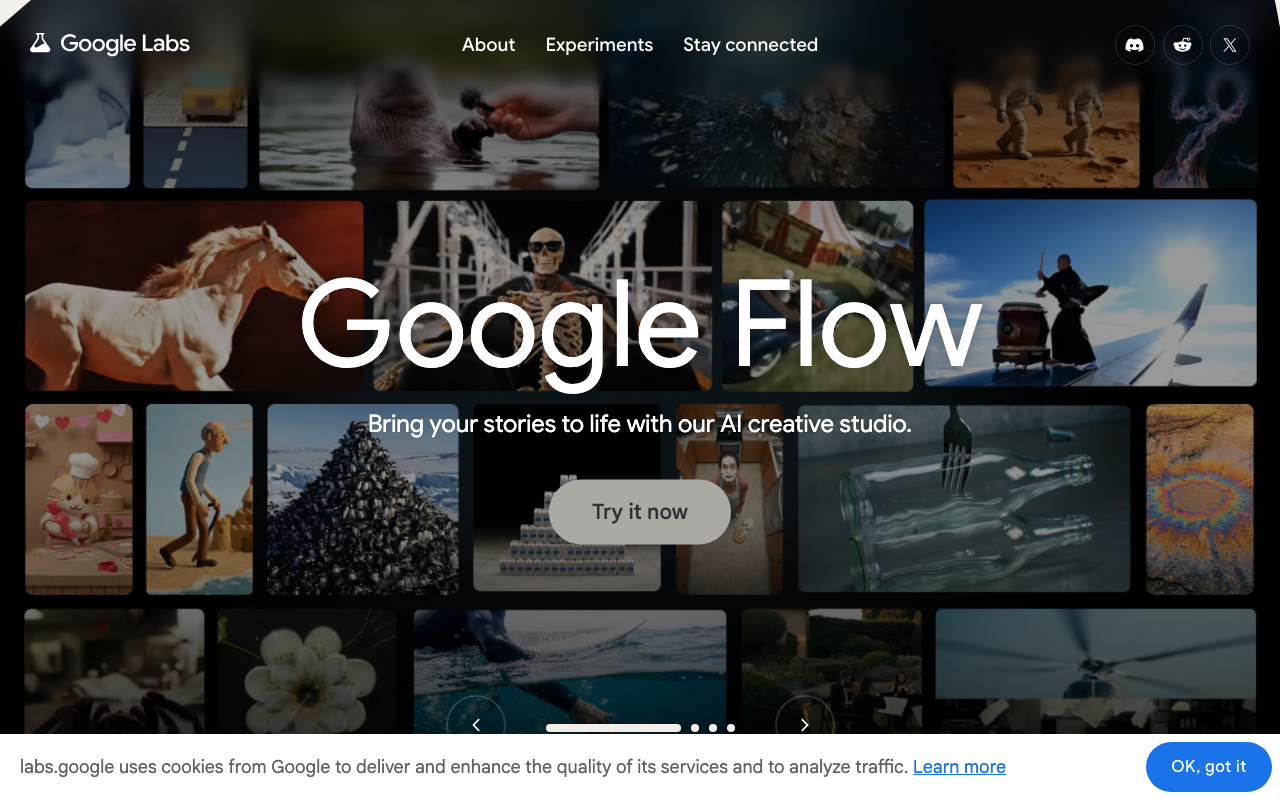
Google Labs — home for Flow, Stitch, Pomelli, Flow Music, and more experiments.
Quick map
| # | Product | What it is for | Start |
|---|---|---|---|
| 1 | Antigravity | Agent platform (desktop, CLI, IDE, SDK) | antigravity.google |
| 2 | Stitch | Text / sketch → UI screens | stitch.withgoogle.com |
| 3 | Pomelli | On-brand marketing from your site URL | labs.google.com/pomelli |
| 4 | Google Flow | Stories, image→video, cinematic clips | labs.google/fx/tools/flow |
| 5 | Google Flow Music | Full songs + music videos (Lyria 3.5) | flowmusic.app |
1. Antigravity — four surfaces, one agent harness
Google Antigravity is Google’s agentic development platform. You are not locked into one window: Antigravity is accessible through four distinct surfaces. Depending on whether you prefer terminal speed, a visual command center, a full code editor, or programmatic automation, pick the interface that matches your style.
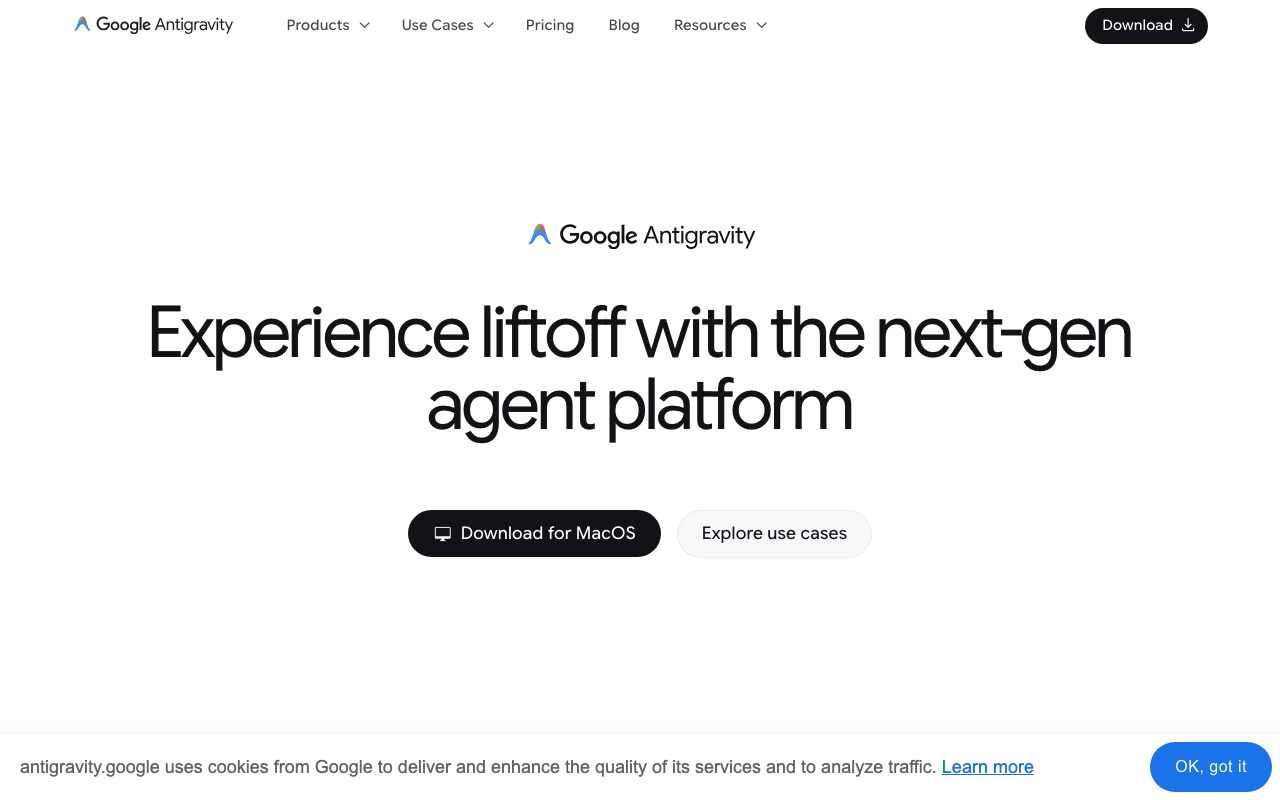
Official Antigravity homepage — download the desktop app or explore use cases.
The 4 ways to use Antigravity
| Surface | Form factor | Best for | Key capabilities |
|---|---|---|---|
| Antigravity 2.0 | Standalone desktop app (macOS, Windows, Linux) | Visual task orchestration & async workflows | Multi-project / workspace management; visual artifacts (diffs, UI screenshots, browser recordings); scheduled background tasks & voice input |
| Antigravity CLI | Lightweight terminal UI (agy) |
Terminal-centric work, SSH, fast edits | Keyboard-driven TUI in shell/tmux; near-zero footprint; shared settings + conversation export to the desktop app |
| Antigravity IDE | Full AI-native code editor | All-in-one primary coding environment | Built on the open-source VS Code foundation; side-by-side Agent Manager + text editor; deep repo context |
| Antigravity SDK | Python programmatic framework | Custom agents & automated pipelines | Python library on the Antigravity harness; register tools, safety policies, spawn subagents in code |
The “dual-wield” setup
If you already love VS Code or Cursor, you do not have to switch editors completely. The recommended setup is dual-wielding:
- Keep your standard editor open for everyday writing and quick tweaks.
- Run Antigravity 2.0 (desktop) or the CLI in parallel for autonomous multi-file refactoring, background testing, and long-running agent tasks.
Same idea if you prototype in the browser with Replit — keep Replit for quick experiments, hand heavy refactors to Antigravity.
How to set up (desktop + CLI)
- Open antigravity.google → Download for your OS (Apple Silicon / Intel / Windows / Linux as offered).
- Install Antigravity 2.0 or the IDE build you prefer; sign in with your free Google account.
- Open a project folder (same mental model as a VS Code workspace).
- Optionally install the CLI for terminal / SSH sessions:
macOS / Linux:
curl -fsSL https://antigravity.google/cli/install.sh | bashWindows PowerShell:
irm https://antigravity.google/cli/install.ps1 | iexLaunch and authenticate (browser OAuth on first run):
agy/config
/logoutSDK users: follow the Python harness docs on the Antigravity site once desktop/CLI auth works — same account, programmable agents.
Starter prompts (paste into 2.0, IDE, or agy)
Scan this repo. Summarize the stack in 5 bullets, list the top 3 risks for a solo builder, and propose a 1-hour fix list. Do not change files yet.Add a /health JSON route if missing. Keep the change minimal, write a short curl check, and show me the diff before applying anything destructive.Create or update AGENTS.md with project conventions: never commit .env, prefer small PRs, explain folder layout in under 40 lines.2. Stitch — text or sketch → UI screens
Google Stitch is an AI-native UI design tool from Google Labs. Powered by Gemini models, it skips the traditional blank canvas: you describe what you want (text or voice) or upload a rough sketch / wireframe / screenshot, and Stitch returns structured, responsive screens in seconds.
Two modes in practice: Standard (fast text-to-UI) and Experimental (stronger sketch-to-UI translation). Use it for mobile shells, web dashboards, landing pages, and multi-screen first drafts (splash → signup → home → settings).
Stitch — Design with AI (official marketing asset).
What it can generate
- Mobile: iOS / Android viewports, bottom nav, card stacks, onboarding, checkout, widget dashboards.
- Web: SaaS dashboards, admin panels, landing pages, pricing grids, settings, data tables.
- Flows: multi-screen journeys as a first draft you refine, not a final design system.
Export options (and where to take the UI next)
| Platform | Method | How it works |
|---|---|---|
| Figma | Native “Copy to Figma” | Paste (Cmd/Ctrl+V) into Figma for editable layers / Auto Layout. Standard Mode. |
| HTML / CSS / Tailwind | Native code export | Copy modular front-end markup into VS Code, Cursor, or any IDE. |
| Bolt.new & Lovable | Code / spec paste | Drop Stitch HTML/Tailwind or a short design.md into Bolt or Lovable to turn static UI into a runnable app with state. |
| Google AI Studio & Firebase Studio | Google ecosystem | Carry designs / schemas into AI Studio prompts or Firebase Studio for auth, Firestore, and backend wiring. |
| v0 | Prompt + markup | Paste the layout brief (or exported markup) into v0 when you want React components next. |
Setup: open stitch.withgoogle.com, sign in with Google, paste one of the prompts below.
5 UI ideas & copy-paste prompts
Clear hierarchy + palette + layout rules beat vague “make it pretty” prompts.
Idea 1 — Dark mobile finance / crypto dashboard
Tests dense data, charts, and horizontal cards on mobile.
Create a modern mobile iOS dashboard for a crypto tracking app called 'Aura Crypto'.
Layout:
- Top Bar: Avatar icon on the left, notification bell with badge on the right.
- Hero Card: Dark slate background with a subtle neon green gradient border. Show total balance '$42,580.12' in 32px bold text, with a '+4.2%' pill badge.
- Quick Actions: Row of 4 circular icon buttons ('Send', 'Receive', 'Swap', 'Buy').
- Horizontal Scroll Section: 'Watchlist' showing mini-sparkline charts for BTC, ETH, and SOL.
- Bottom Navigation: 4 tabs ('Home', 'Markets', 'Analytics', 'Profile') with high-contrast active state.
Theme: Deep dark mode (#0D1117 background) with neon accent colors.
Idea 2 — Web SaaS analytics + data table
Tests desktop columns, filters, and dense tables.
Generate a desktop web application UI for an AI Customer Support Analytics dashboard.
Layout:
- Sidebar (Left, 240px wide): Logo at top, dark navigation links ('Overview', 'Tickets', 'CSAT Scores', 'Team Performance', 'Settings').
- Main Header: Search bar with hotkey indicator '⌘K', date range picker dropdown ('Last 30 Days'), and export CSV button.
- Top Metric Grid: 4 stat cards ('Total Tickets', 'Avg Resolution Time', 'CSAT Score 94%', 'AI Deflection Rate 68%') with small trend arrows.
- Main Section: Split 70/30. Left side shows a line chart area for 'Ticket Volume over Time'. Right side shows a 'Live Activity Feed' list.
- Bottom Table: Paginated user tickets table with status tags ('Open' in yellow, 'Resolved' in green, 'Escalated' in red).
Theme: Light clean SaaS theme, neutral cool gray canvas with indigo accent buttons.
Idea 3 — Mobile health onboarding step
Tests progress UI and selectable cards.
Design a mobile UI screen for Step 2 of a personalized fitness onboarding app.
Layout:
- Top Bar: Back arrow on left, progress bar showing 'Step 2 of 5' (40% filled).
- Headline: Large 28px bold title 'What is your primary fitness goal?' with a friendly subtitle 'We'll adapt your daily workout routines accordingly.'
- Options Stack: 4 vertical clickable cards with rounded corners:
  1. 'Build Muscle & Strength' (Include a dumbbell icon)
  2. 'Lose Weight & Burn Fat' (Include a flame icon)
  3. 'Improve Endurance' (Include a running shoe icon)
  4. 'General Health & Flexibility' (Include a yoga icon)
- Make card #1 look 'Selected' with a prominent green border and a checkmark.
- Bottom Bar: Fixed 'Continue' primary button spanning full width with subtle drop shadow.
Theme: Minimalist white background, bold black typography, emerald green primary accents.
Idea 4 — E-commerce product detail (web)
Tests gallery grids and sticky CTAs.
Create a desktop web UI layout for a premium wireless headphone product detail page.
Layout:
- Top Nav: Sticky transparent navbar with brand logo, shop links, search, and shopping bag icon with item count '2'.
- Split View (50/50):
  - Left Column: Large main product image showcase with 4 smaller thumbnail preview squares below it.
  - Right Column: Product title 'Apex Wireless ANC Headphones', star rating (4.9/5 - 320 reviews), price '$299.00', color swatch selectors (Space Gray, Silver, Midnight Blue).
- Product Details: Collapsible accordion menus for 'Technical Specs', 'What's in the Box', and 'Shipping & Returns'.
- Primary Action: Large full-width 'Add to Cart' button next to a quantity selector (+ / -).
Theme: Minimalist luxury aesthetic, off-white background, crisp dark typography, soft shadows.
Idea 5 — Telehealth video call (mobile)
Tests overlays, PiP, and floating controls.
Design a mobile UI screen for an active telehealth video consultation call.
Layout:
- Background: Full-screen remote doctor video view.
- Top Floating Bar: Doctor name 'Dr. Sarah Chen, MD - Cardiology', call timer '12:44', and end call red button.
- Picture-in-Picture: Small rounded thumbnail in top-right showing patient's own camera view.
- Floating Bottom Overlay Bar: Semi-transparent blurred glassmorphism bar with 4 action buttons: 'Mute Mic', 'Turn Off Camera', 'Open Chat', 'Prescriptions'.
- Slide-up Drawer (Half Open): Shows recent shared doctor notes: 'Recommended Dosage: 50mg daily' with a download PDF button.
Theme: Clean clinical aesthetic with semi-transparent frosted glass UI elements.
3. Pomelli — paste your site URL, get a brand kit + campaigns
Pomelli (Google Labs + DeepMind) is built for small and mid-size businesses that need on-brand social creatives without a full design team. The core loop is simple: you give it your website URL, it crawls the brand, then builds a mood board and analysis — colors, tone, typography cues, and visual direction — before you generate campaigns.
Pomelli — official Google Blog header art.
How it actually works
- Open labs.google.com/pomelli/about → Let’s get started (sign in with Google; early beta rolled out in English for US, Canada, Australia, New Zealand first).
- Enter your site URL. Pomelli analyzes the brand and produces a mood board / style summary (palette, voice, visual motifs).
- Create a campaign: pick output ratio (square, story, landscape, etc.), type what to generate, and tweak with simple instructions — change the background, swap a product photo, lean into a holiday, etc.
- Use presets and event angles: product mockups, Mom’s Day, Father’s Day, seasonal sales, launch teasers, and other campaign templates the product surfaces.
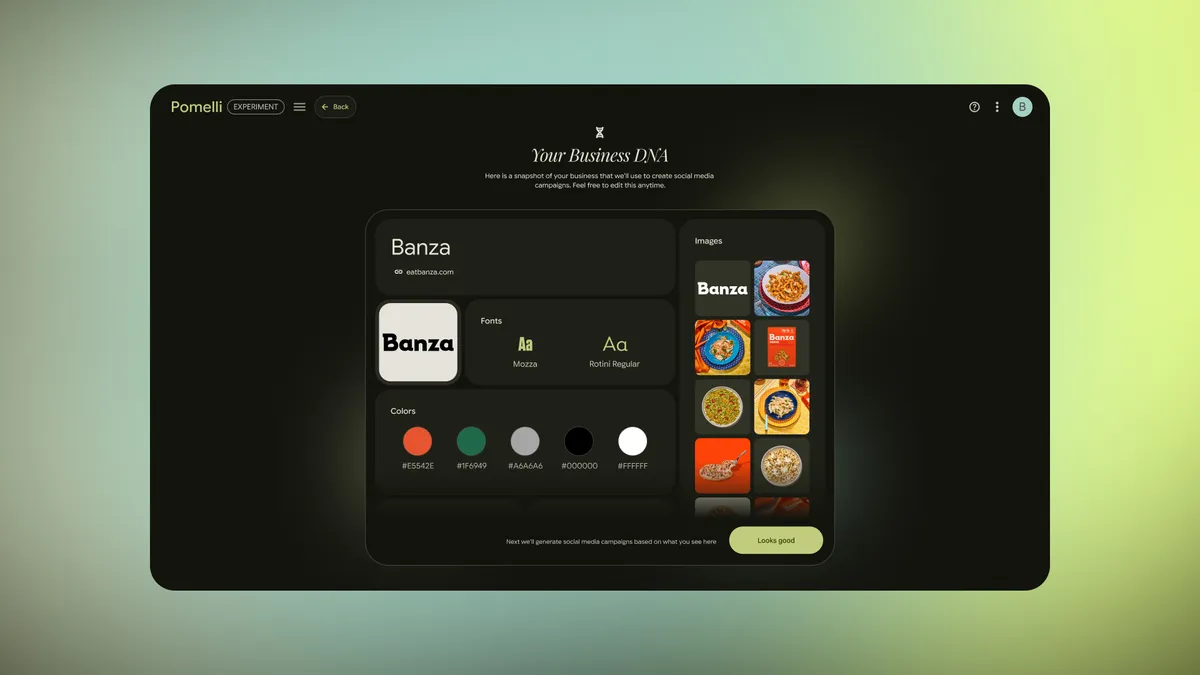
Official Pomelli demo still from the Google Blog (brand creative workflow).
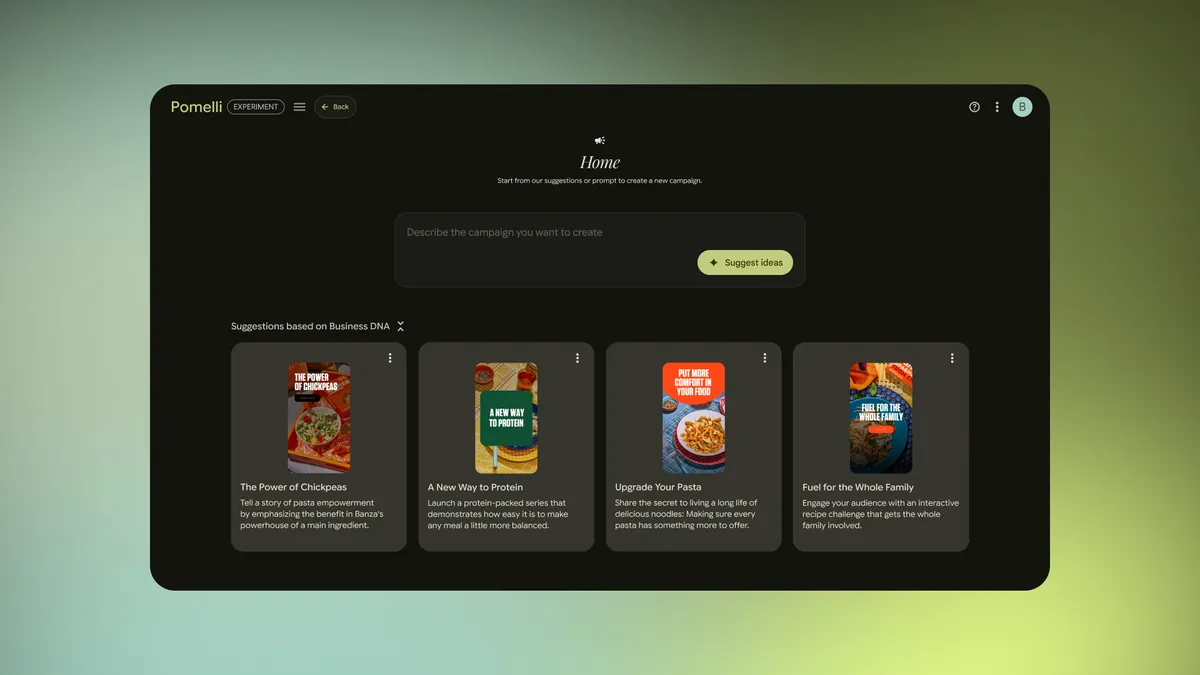
Official Pomelli demo still — campaign / style variations.
From Pomelli assets → social scheduling
Once you like the images, schedule them. We use OmniSocials for that layer: one workspace to queue posts across Facebook, Instagram, Pinterest, LinkedIn, YouTube, TikTok, X, Threads, Bluesky, and more — plan captions, approve, and publish on a calendar. Sign up via that link if you want to try the same stack after Pomelli exports.
Brand site: https://your-business-site.example
Campaign: Summer launch — 3 square posts + 2 story frames.
Tone: friendly, clear, no hype.
Instructions: Keep brand colors from the site analysis. Swap background to soft daylight. Add 'Free shipping this week' as secondary text on one square.
4. Google Flow — AI creative studio for stories & video
Google Flow is Google’s AI creative studio for cinematic scenes, storyboards, image-to-video, and narrative clips. Multimodal models (including Gemini-class and Veo video engines) let you combine text, stills, and camera controls into continuous shots.
Core moves: image→video with camera physics (dolly, pan, orbit); chain shots for consistent lighting / character; agentic tool pipelines when you want repeatable creative utilities.
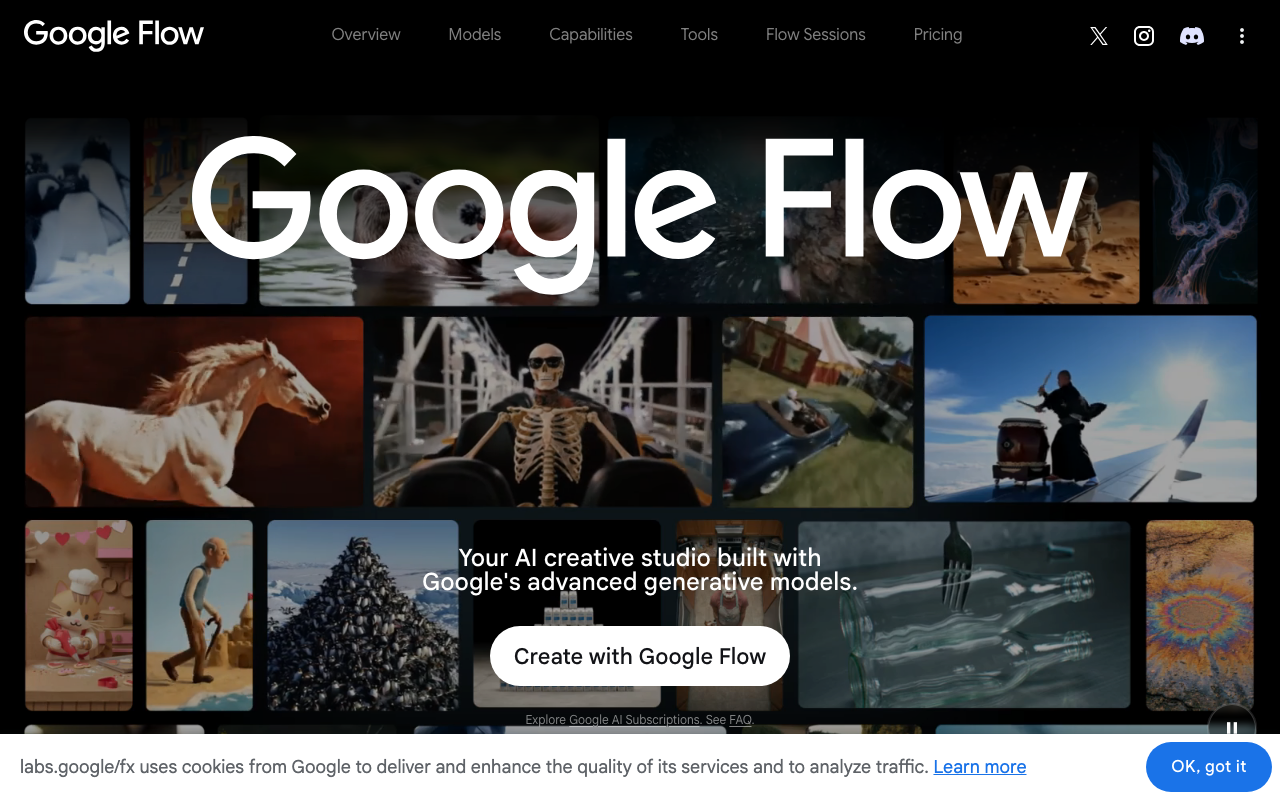
Google Flow landing page on Labs.
- Open labs.google/fx/tools/flow.
- Sign in with Google and accept Labs terms.
- Start from a still or a short story brief — iterate instead of one perfect prompt.
Image-to-video prompts to try
Use case A — cinematic character motion
Subject: The character in the input image.
Motion: Slow orbit camera shot moving in a tight circular arc around the subject. The subject turns their head slowly toward the camera and settles with a subtle smile blooming.
Atmosphere: Soft golden-hour sunlight shifts naturally across their face, fabric of the coat sways gently in a light breeze.
Camera: Eye-level, shallow depth of field, blurred background bokeh.
Use case B — environment & lighting transition
Subject: The landscape from the input image.
Camera Motion: Smooth dolly forward tracking shot pushing gradually deeper into the scene over 5 seconds.
Environment Motion: Thin mist drifts slowly across the water surface, warm sunlight refracts through rising atmospheric fog, and tree leaves rustle with natural weight.
Mood: Inspiring, serene, atmospheric.
5. Google Flow Music — songs + music videos (Lyria 3.5)
Google Flow Music is the music studio companion: chat with an AI producer, generate ~30-second to multi-minute tracks from text, lyrics, images, or audio refs, and direct music videos. Free to start with a Google account on the public landing.
As of 29 July 2026, Flow Music is rolling out Lyria 3.5 — Google DeepMind / Labs’ newest music generation model. Google’s pitch is richer tracks with more creative control, not just “another song button.”
What’s new in Lyria 3.5 (per Google’s launch post):
- Improved musicality — richer, more complex melodic structures that sound more natural.
- Enhanced lyrics — higher-quality lyrics with better prompt adherence and structural awareness (verse / chorus shape actually sticks).
- Improved vocals — more expression and emotion, more realistic / nuanced delivery, plus better pronunciation.
- Creative control — easier control of tempo and duration on outputs.
Core moves in the studio: conversational arrangement tweaks (tempo, instruments, vocals); structural tags like [Verse 1] / [Chorus]; auto cover art generation. With Lyria 3.5, those tempo / length knobs and lyric structure tags are the levers worth leaning on first.
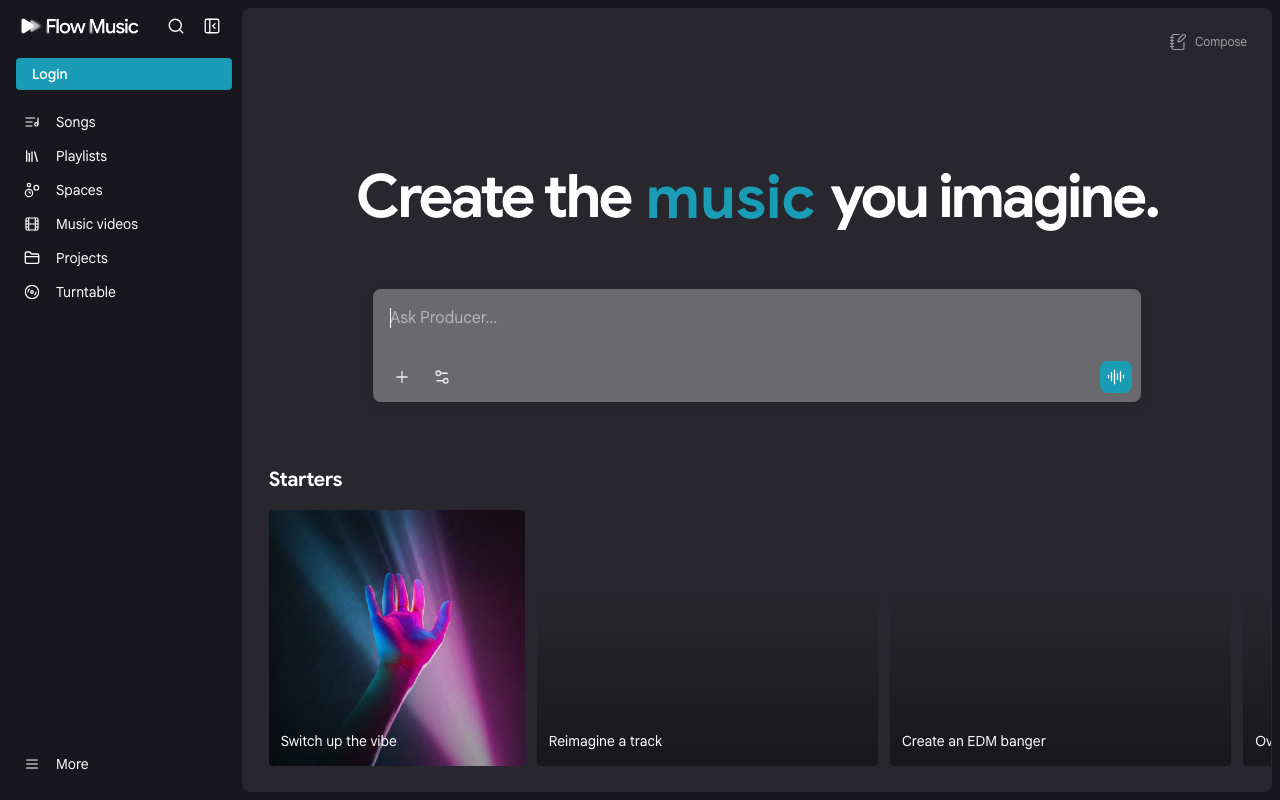
Google Flow Music — flowmusic.app (Lyria 3.5 in the producer stack).
- Go to flowmusic.app.
- Sign up / sign in with Google.
- Use a starter or chat with Producer — keep genre, BPM, duration, and structure explicit so Lyria 3.5’s control improvements matter.
Music prompts to try
Use case C — full song with structure tags
Style: Synthwave, Cyberpunk, 80s Retrowave
Tempo: 115 BPM
Instrumentation: Analog poly-synths, heavy sidechained bassline, gated reverb snare, soaring lead guitar.
Mood: Energetic, nostalgic, late-night drive.

[Intro]
(Atmospheric synth pads building with slow sidechain pulsing)

[Verse 1]
Neon lights reflecting on the rainy street below,
Chasing digital shadows where the city lights glow.
Engine revs in silence, counting down the time.

[Chorus]
We run through the static, fading in the light,
Speeding through the grid into the endless night!
Use case D — ambient / lo-fi instrumental
Style: Lofi Chillhop, Jazztronica
Tempo: 78 BPM
Instrumentation: Dusty Rhodes electric piano, vinyl crackle, soft brushed hip-hop drums, warm upright bass line.
Mood: Cozy, focused, rainy afternoon vibe.
Instruction: Instrumental only. No vocals. Smooth intro fade-in, organic loop structure.
Combined multimodal workflow (image → video → soundtrack)
[Step 1: Visual Prompt]
A futuristic astronaut standing on an alien desert dune looking at a glowing blue galaxy on the horizon. Wide cinematic 35mm shot.

[Step 2: Video Motion Prompt]
Slow crane up camera shot rising vertically to reveal the vast expanse of the desert. Dust particles float in slow-motion, galaxy shifts with subtle aurora-like energy movement.

[Step 3: Music Prompt]
Cinematic ambient sci-fi score. Deep sub-bass drones, shimmering orchestral strings, high-pitched pitch-bent synths. Building intensity, inspiring sense of awe and wonder.
Run step 1–2 in Flow, step 3 in Flow Music, then pair the audio under the clip — that three-step loop is the viral share people actually try.
How the five fit together
- Antigravity — ship and refactor code (desktop / CLI / IDE / SDK).
- Stitch — invent UI, then export to Figma, code, Bolt, Lovable, or v0.
- Pomelli — brand analysis from your URL → campaign creatives → schedule with OmniSocials.
- Flow — turn stills into motion.
- Flow Music (Lyria 3.5) — score the story.
What do you think?
Which prompt did you try first — and what broke or surprised you? Tell me, or subscribe for the next toolkit. Browse more builders’ tools on our Tools page.
Sources: Google Labs; Google Antigravity + antigravity-cli; Stitch; Pomelli + Google Blog Pomelli launch; Google Flow; Google Flow Music; Introducing Lyria 3.5 in Google Flow Music (Google Blog, 29 Jul 2026)
Disclosure: Screenshots and marketing images from official Google pages for editorial illustration. No paid placement by Google. Replit and OmniSocials links above are referral/affiliate. Cursor and v0 link to their homepages (Cursor referral program ended; former v0 ref URL returned 404). Product availability and free tiers can change.
Questions? Get in touch — or subscribe for the next vibe coding post.