How I built Grok Mail: a private mail app on Grok Bot's own inbox
I gave Grok Bot its own email address, then built a private mail app on top of it. The no-API design, the lock-down, and the gotchas.
Read time: ~4 minutes
I gave Grok Bot its own email address, then built a private mail app on top of it. Here's how Grok Mail works, and the one design rule that shaped everything: the app never talks to the mail provider.
Short answer
Grok Mail is a private, single-user mail app on my Grok Bot inbox. It runs on Next.js on Vercel, stores mail in Neon Postgres and sits behind a Clerk login that only lets me in. There's no public inbox API, so an hourly Grok Bot routine syncs mail into the database, and every outgoing email becomes a Grok Bot draft card that I have to press Send on.
Get my free Grok Mail setup guide
The step-by-step checklist I used: claiming the inbox, the Cursor cloud agent build, the Neon sync, Clerk lock-down and the Vercel deploy, plus every gotcha I hit.
You'll also join the Vibe Coder's Life newsletter. Unsubscribe anytime.
Claiming the inbox
I asked Grok Bot to claim an inbox, sent a test email through a draft card I approved, replied from Gmail, and watched the reply land in my Grok Bot inbox. The loop worked on the first try.
What Grok Mail does
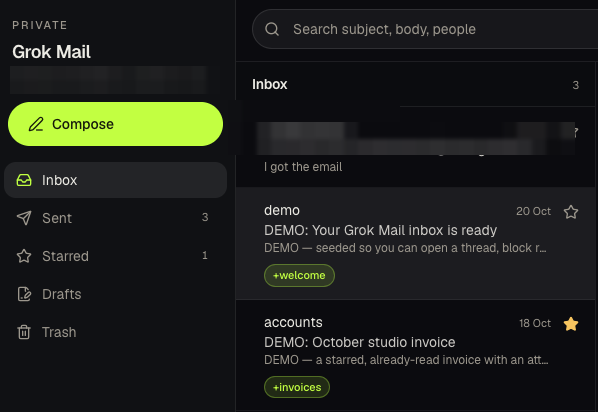
The agent build lives in a new Cursor Origin repo. It has:
- Folders: Inbox, Sent, Starred, Drafts and Trash
- Actions: search, compose and reply
- Safe rendering: sanitized HTML, and remote images blocked by default
- +tag display: shows which +tag an email was sent to
- One user only: a login that lets me in and nobody else
The design idea: no inbox API
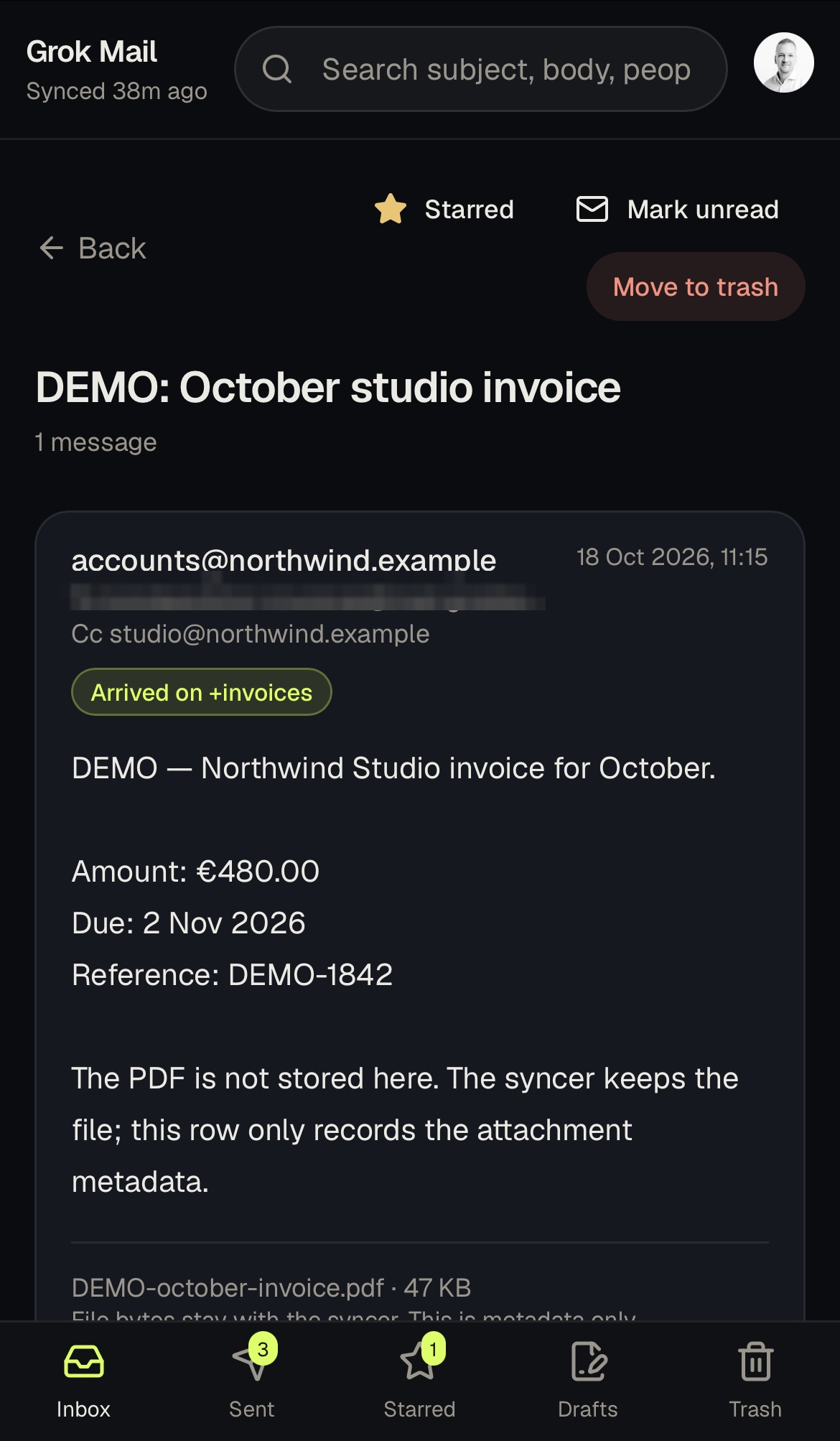
There's no public inbox API. I could have dug a session token out of the browser to fake one, but I didn't, and you shouldn't either. That kind of workaround breaks, leaks or gets your account flagged. So the app never talks to the mail provider at all. Grok Bot does the mail work, and the app only reads and writes its own database.
- Inbound: an hourly Grok Bot routine (8:00 to 22:00) syncs new mail into Neon. Hourly, not instant, and that's fine for a personal inbox.
- Outbound: when I compose or reply, the app just queues the message. Grok Bot turns it into a draft card, and nothing leaves until I press Send. A human approves every email.
- Labels: Starred and Trash live in the app. They don't change anything at the provider.
Locking it down and going live
Clerk locks login to me alone. Vercel deploys straight from Origin — with one plan catch that bit me on the first try.
Also on the free stack series: It's mostly my vibe coding stack for 2026. If you're new here, start with Part 1: free AI API keys, then Part 3: free hosting, plus the free database and free auth guides.
Gotchas
The step-by-step fixes live in the setup guide above. Here's what bit me:
- Don't fake an API.
- Inbound email is untrusted. Prompt injection is real.
- The address is permanent.
- Mail goes out as the bot.
- Vercel couldn't see my repo at first.
- My first deploy returned a 500.
FAQ
Can Grok Bot have its own email address?
Yes. Grok Bot can claim one inbox on mail.grokbot.com. It can read the mail it receives and prepare replies as draft cards that you approve before anything is sent. The address is permanent, so choose it carefully.
Can I build my own email client with Next.js?
Yes. Grok Mail is a Next.js app on Vercel with Inbox, Sent, Starred, Drafts, Trash, search, compose and reply. Mail is stored in Neon Postgres. The app doesn't connect to a mail server directly; a Grok Bot routine syncs mail into the database every hour.
How do I restrict a Next.js app to one email address with Clerk?
Yes — Clerk can lock the app to one email. How I set that up (and the development vs production gotcha) is in the setup guide.
Can I deploy a Cursor Origin repo to Vercel for free?
No. Origin repos need a higher Vercel plan than Hobby. The deploy path I used is in the setup guide.
Is it safe to let an AI agent read my email?
Only with guardrails. Inbound email is untrusted, and a message can contain hidden instructions aimed at the agent (prompt injection). In Grok Mail, the bot treats mail as data, HTML is sanitized, remote images are blocked by default, and nothing is sent until I press Send on a draft card.
Sources: Cursor: Origin Apps. Checked 27 Oct 2026.
Disclosure: no paid placement. None of the links in this post are referral links.
Questions? Get in touch.