A hands-on Supabase + Vercel alternative: Lathe’s one-box stack
I put a small notes app on Lathe Free, then Starter — Apps, Postgres 17, Supabase-style Auth, Redis, SeaweedFS, NATS, CouchDB, backups, and restore — and wrote down what actually happened.
~12 min read
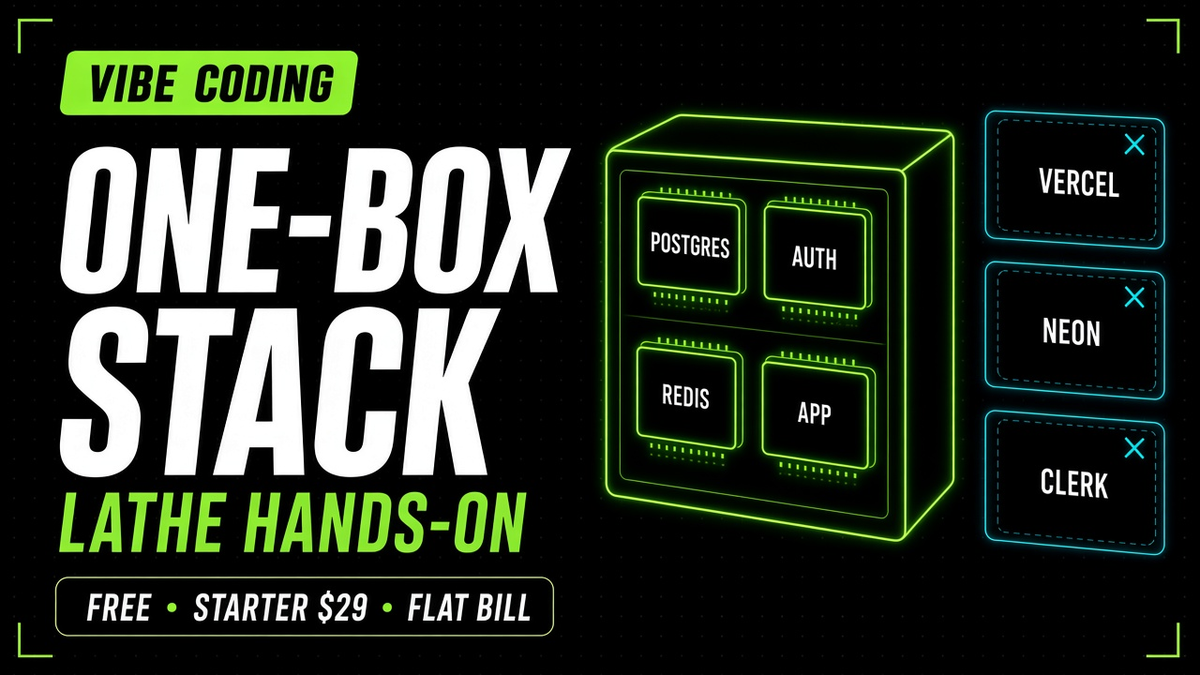
I wanted one place to run a small product: the app, Postgres, and sign-in — without juggling five dashboards on day one.
So I tested Lathe with a throwaway app I called Ship Notes. First on Free (Apps + Postgres + Auth). Then on Starter, with the rest of the engines on: Redis, SeaweedFS, NATS, and CouchDB. I timed a Free cold wake. I restored a daily backup and undid it. I left notes over a weekend.
This is what I clicked, what came back, and who I think Lathe is for.
Try the live demo: Ship Notes on Lathe Starter — create an account with email + password (sign-ups are open). See all seven engines on /engines. Start your own box: lathe.live.
What Lathe is (in one breath)
Lathe gives you one dedicated machine per instance. You pick the engines that fit the plan’s RAM: your container app, Postgres 17, Auth built on the open-source Supabase Auth server, plus optional Redis 8, CouchDB 3, NATS 2, and SeaweedFS 4 (S3-compatible). Lathe runs the machine — TLS, credentials, monitoring, patching, and on paid plans daily backups.
It is not “self-host Coolify and you are on-call.” It is also not “Vercel for the frontend + Supabase for the backend + another vendor for Redis.” It is one box, one bill, one operator surface (portal, REST API, or MCP for agents).
If you already like the Supabase Auth + Postgres mental model, Lathe will feel familiar — users live in your instance Postgres auth schema, and supabase-js is the client path Lathe documents.
For the wider free-stack map (hosting, databases, auth, email), I keep separate guides: free hosting, database and storage, auth, and email / SMS. This piece is the hands-on “one box instead of five tabs” review.
What I ran: Free vs Starter
| Free (as tested) | Starter (as tested) | |
|---|---|---|
| Specs | 0.5 vCPU · 1 GB · 10 GB | 2 vCPU · 4 GB · 40 GB |
| Engines | Apps + Postgres 17 + Auth | All seven |
| Traffic (plan) | 1000 GB/mo | 20 TB/mo |
| Daily backups | No | Yes (7 kept) |
| List price | $0 | $29/mo |
Flat pricing
Mini / Plus / Pro sat at $15 / $49 / $89 when I checked — flat monthly machines, large paid traffic allotment (Lathe listed 20 TB/mo), nothing metered per request or auth MAU in the story Lathe publishes. Numbers move — screenshot and re-check pricing before you buy.
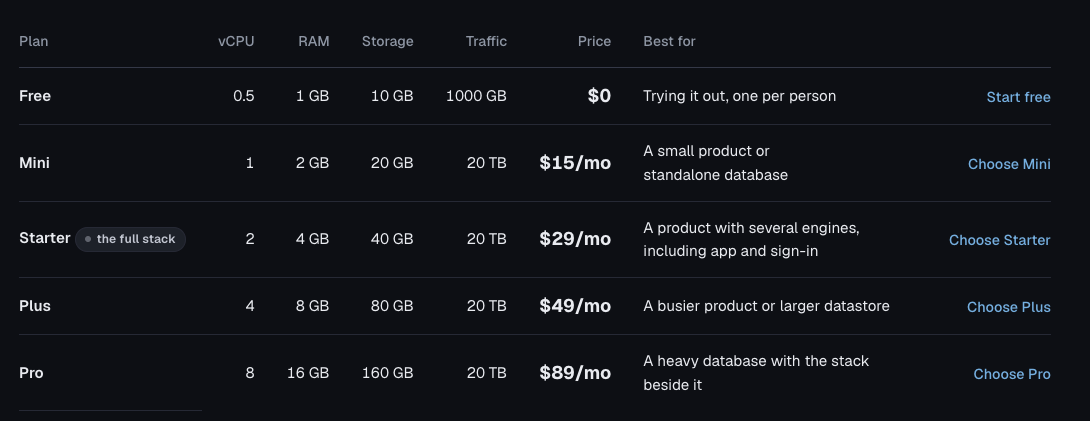
Pricing screenshot mid-October 2026.
What I built: Ship Notes
Ship Notes is a small notes app: sign in, post a note, optionally attach a photo, optionally mark a note public. Enough to touch Auth, Postgres, object storage, cache, a message bus, and a document store — without pretending it is a production SaaS.
Deploy path I used: build a linux/amd64 container image, push to a public GHCR tag, point Lathe’s Apps engine at that image. Contract is simple: listen on $PORT, answer /health with 2xx, keep durable state under /data if you need it. No Lathe GitHub App required. Lathe says you can also connect GitHub and let it build from a repo; I stayed on the image path to keep this review repo isolated from production tooling.
I also drove parts of the test from an agent session against Lathe’s API / MCP-style ops: wake, deploy, restore. Destructive calls need confirm equal to the instance id. Payment stays with a human. That matched how I want infrastructure products to behave around coding agents.
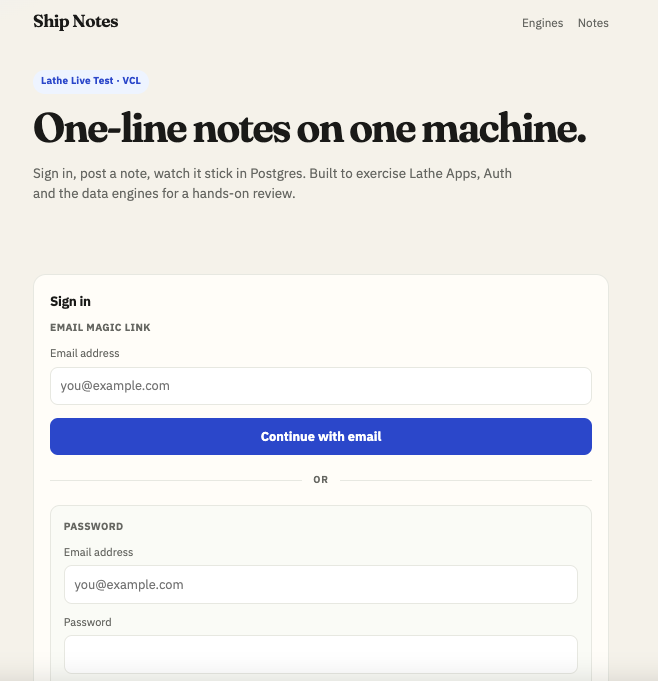
Free tier: Apps + Postgres + Auth
I created a Free instance and turned on three engines. Specs I saw: 0.5 vCPU · 1 GB · 10 GB NVMe, 1000 GB traffic / month, no daily backups, one Free instance per person.
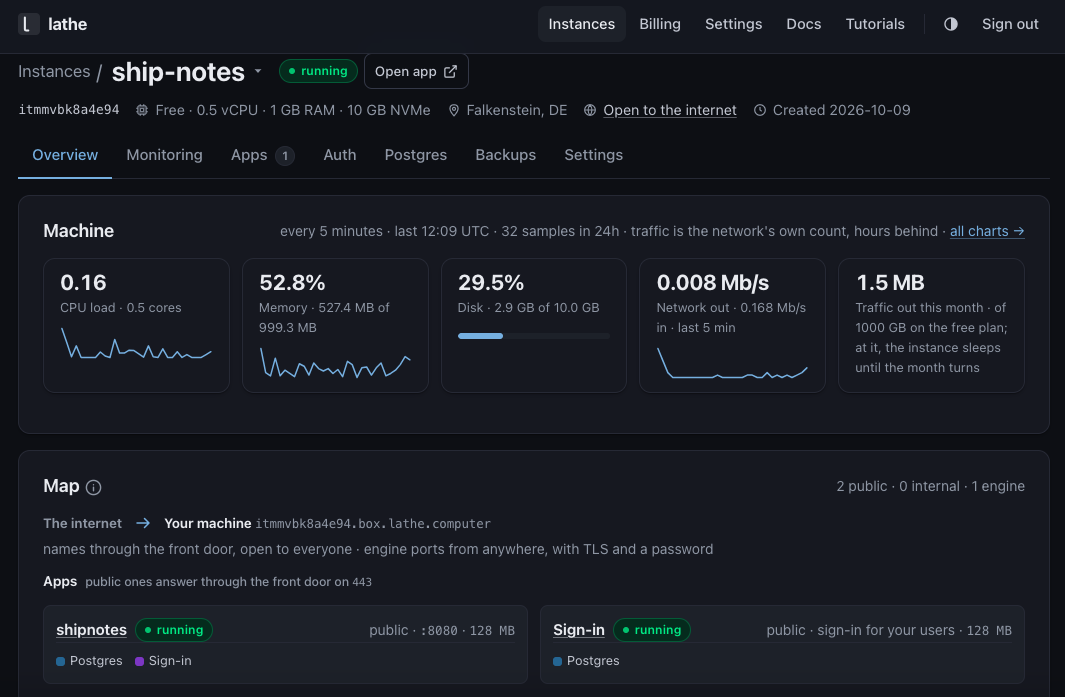
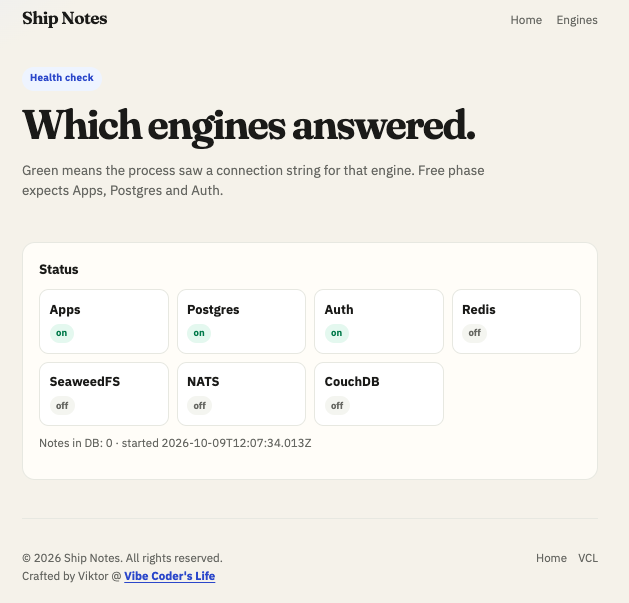
Sign-up: password works; magic link needs SMTP
When users sign up, Lathe does not ship Clerk-style magic link delivery by default.
Lathe Auth creates users, sessions, and magic-link / OTP tokens. It is the sign-in engine (open-source Supabase Auth / GoTrue on your machine). It is not a hosted mail product. Users live in your Postgres auth schema. With SMTP empty on my Free instance, magic link / OTP could return HTTP 200 while nothing hit the inbox. Auth was fine; mail transport was not set up.
| Path | Needs SMTP? | What I saw |
|---|---|---|
| Magic link / OTP | Yes | 200, no mail (and later rate-limit 429) |
| Password sign-up | No | Session returned immediately |
| Password sign-in | No | Works once the user exists |
| Clerk (typical) | Lathe Auth (what I saw) | |
|---|---|---|
| Creates magic link / OTP | Yes | Yes |
| Sends the email | Included | Only if you configure SMTP |
| Users / sessions | Their cloud | Your Postgres auth schema |
So self-serve onboarding without SMTP is Create account with password, not magic link. That is what I used on Ship Notes — no admin bootstrap required. If you want “email me a link” out of the box, bring SMTP (Lathe’s Auth settings even hint at Resend-style smtp_user / API key) or stay with a product that includes delivery. For other auth options, see the auth guide; for transactional mail providers, see email / SMS.
One sharp edge for agents and docs: pass the Auth base URL into supabase-js (do not leave a trailing /auth/v1 if Lathe already injects that path — you will double it). Set Auth site_url to your app so a future magic link returns to the right place after SMTP is wired.
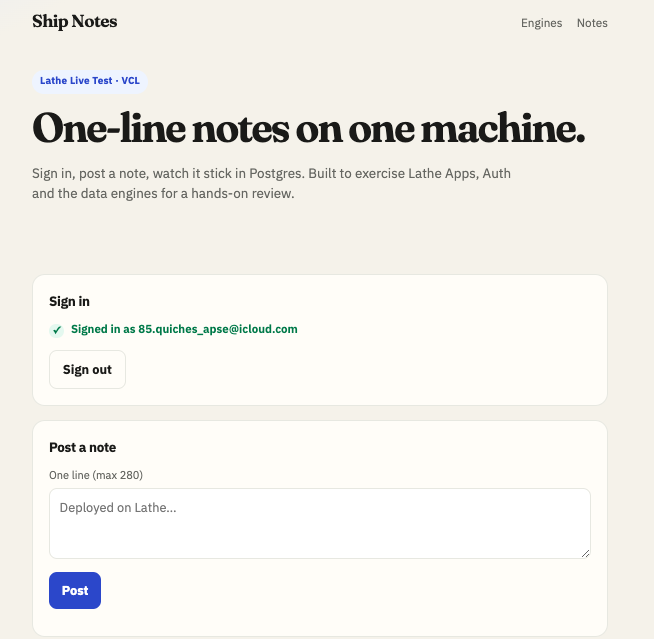
First note landed in Postgres (Lathe free tier test). More notes over the following days — five total before the idle test. After a weekend away, the data was still there. Lathe’s weekly status mail said the machine was fine (disk ~30%, no failed changes). Free does not run daily restore tests — expected with no daily backups.
I closed the abuse surface once my test user existed: app SIGNUPS_OPEN=false, Auth sign-ups closed, allow-list for posts. On the public Starter demo later I re-opened sign-ups so you can try it.
Free sleeps — and Lathe tells you
Lathe emailed me when the Free instance slept after 1440 minutes idle (24 hours — what I saw on this plan; treat idle rules as “check the portal / plan”).
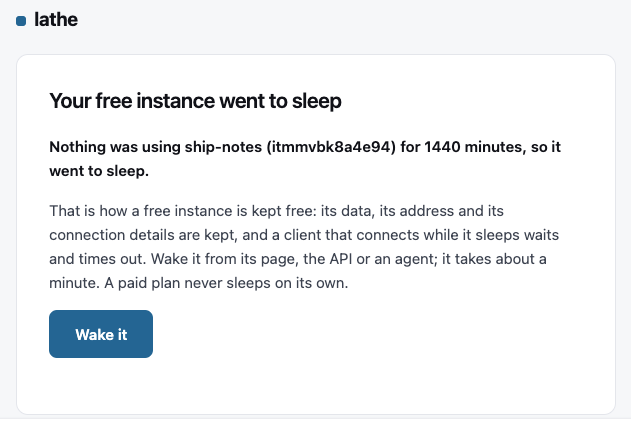
I woke it via the API. First /health 200 at about 51 seconds. Portal status running at about 91 seconds. Same hostname. All five notes still there. Lathe says paid plans do not sleep on their own.
That sleep/wake loop is the clearest Free tradeoff: great for a tryout, not for something that must answer in under a second at 3am with no traffic.
Operator UX detail I liked: Lathe emails when Free sleeps, when a machine is waking / ready, and when a paid instance is ready. You are not guessing from a silent dashboard.
Starter: the full stack on one machine
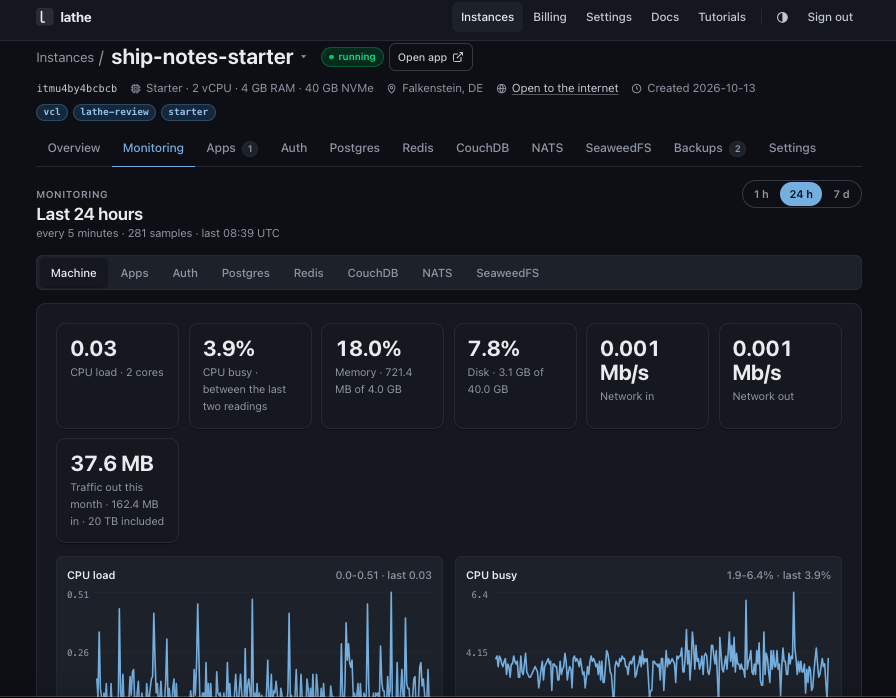
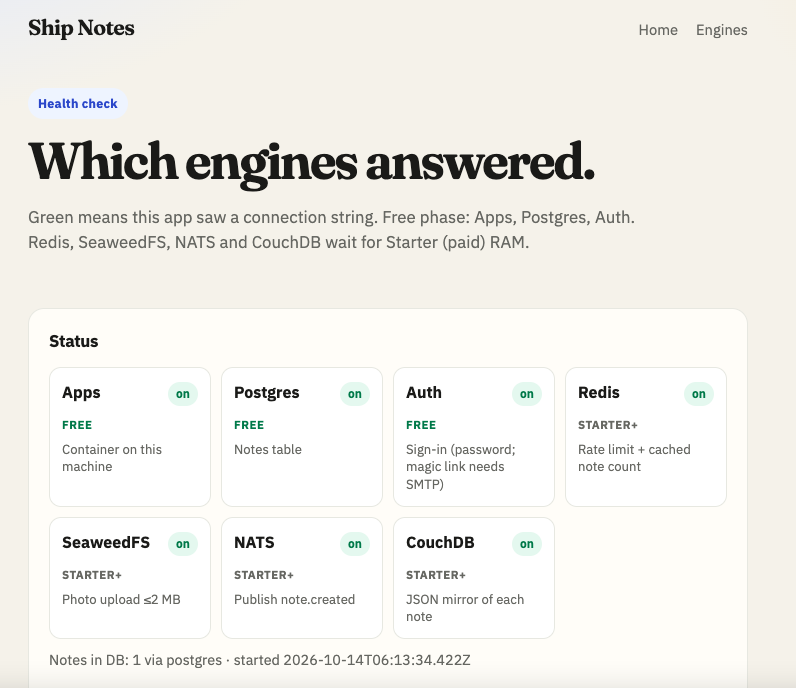
I moved the same product shape onto Starter ($29/mo on the pricing page when I tested — full stack label). All seven engines on: Apps, Auth, Postgres, Redis, CouchDB, NATS, SeaweedFS.
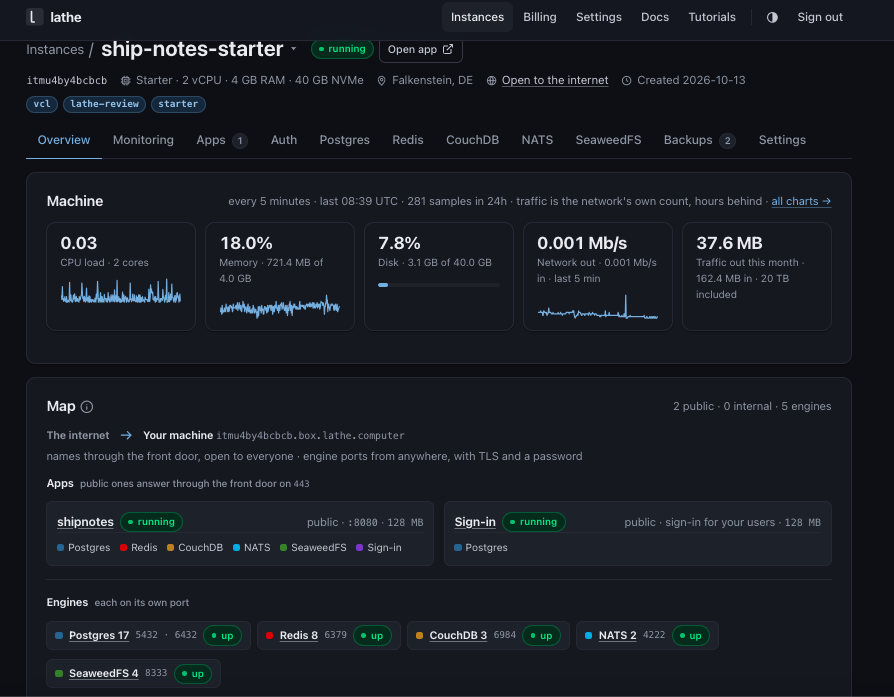
What I verified on Starter
On Free, three engines was the honest ceiling for 1 GB. On Starter, turning everything on is the point of the plan. Memory splits across engines (Lathe’s pricing page shows a full Starter allocation example; the portal chart matched the “many engines sharing one box” story).
- Postgres 17 — notes persisted; pooled and direct ports available; survived image rollback.
- Auth — password sign-up / sign-in;
site_urlset for the app; users still in the instanceauthschema. - SeaweedFS — photo upload ≤2 MB on notes (S3-compatible bucket on the same machine).
- CouchDB — JSON copy / mirror of notes when the app env pointed at it.
- Redis — rate limit + cached note count path in the app.
- NATS — publish
note.createdwhen configured. - Deploy / rollback — I bumped a release env;
/healthstayed HTTP 200 across 45/45 checks during the restart, then I rolled the image tag back and forward — notes and photos survived. - Guardrails — delete instance and restore both need an explicit
confirm(and restore needs the image id). Good default when an agent has keys.
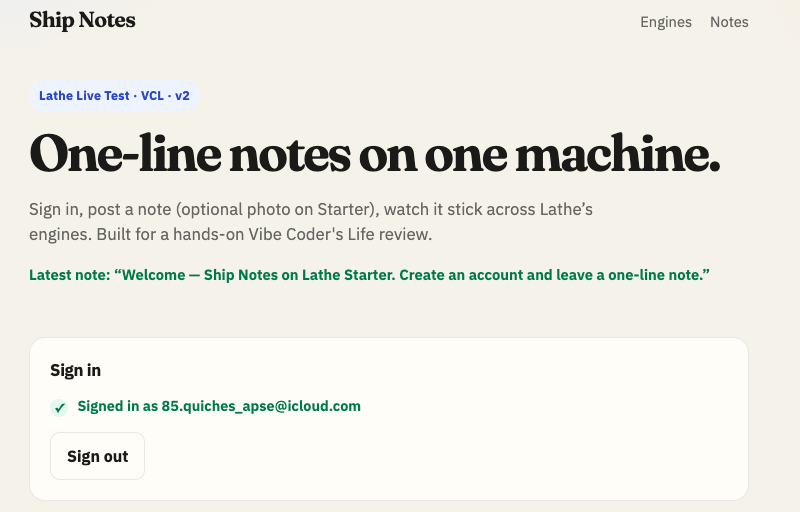
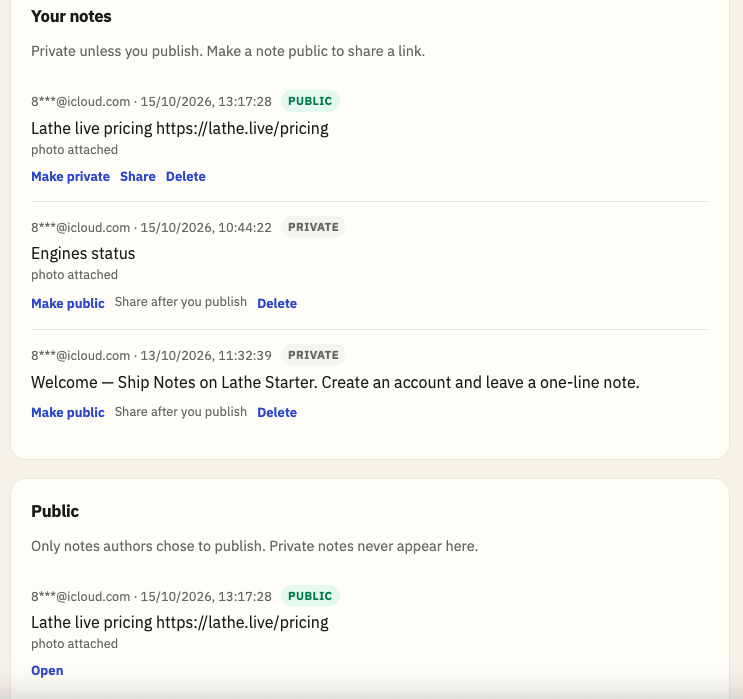
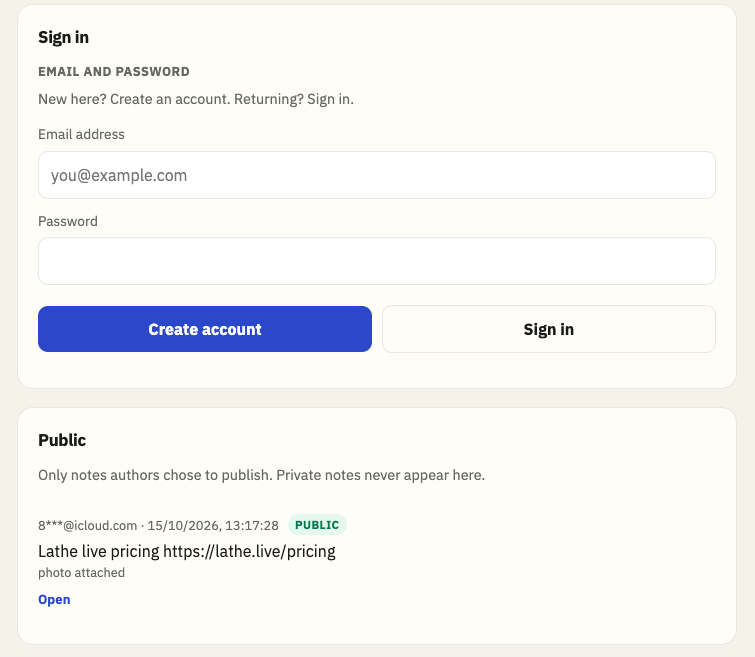
The public demo is sanitized: welcome note, sign-ups open, password path. That is intentional so readers can poke the box without seeing my private test content.
Backups and restore (timed)
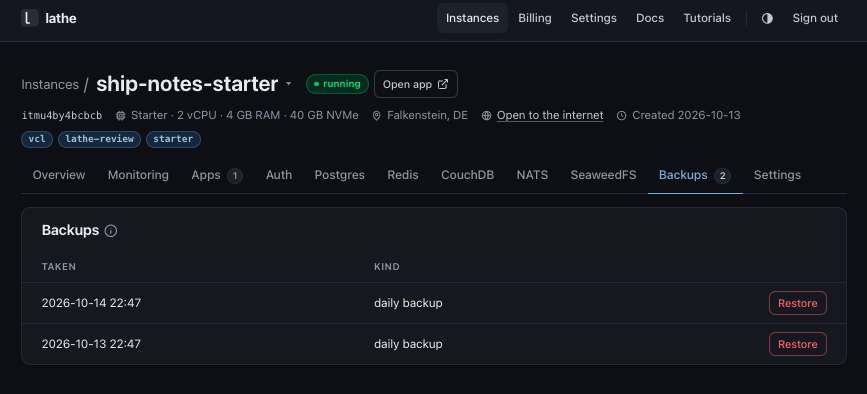
Paid plans keep daily full-disk images (seven retained). Lathe restores in place — connection strings and hostname stay put. Before a restore, Lathe keeps a short-lived undo snapshot.
I restored a daily backup, then undid via the pre-restore snapshot Lathe took automatically. Hostname did not change either time.
| Action | App /health non-200 window | Job done |
|---|---|---|
| Restore daily backup | ~59.5s | ~127s |
| Undo (restore snapshot) | ~65.3s | ~130s |
That is not point-in-time recovery. Lathe is upfront that paid backups are daily (RPO up to about a day of writes). If you need finer recovery, stay on a provider that sells PITR. If daily images plus a tested restore button are enough for a small product, the path I ran worked.
When Lathe is a great fit
I would reach for Lathe first when:
- A small product or side project where app + Postgres + sign-in on one machine beats five vendors on day one.
- You already think in Supabase-style Auth + Postgres and want that on your own VM, with users in your database and a flat monthly price (no per-MAU auth line on the Lathe bill).
- You want predictable pricing more than a pile of free tiers that each pause, meter, or surprise you later.
- You are fine with one machine (grow by upgrading the plan, not by adding replicas).
- You want agents in the loop: Lathe exposes portal, API, and MCP, with destructive actions gated behind confirmation and payment left to a human.
- Lathe says EU regions are available if you care; I did not make residency the story of this review — the product story for me was operational simplicity.
On the paid floor, that same shape of stack — Vercel Pro ($20) + Supabase Pro (from $25) + Clerk Pro ($25) — was about $70/mo when I checked, before usage overages. Lathe Starter was $29/mo for one machine with app, Postgres, Auth, and the other engines in the flat price. Free tiers on those three can still be $0 for a tryout; this is the always-on bill once you leave free. Skip Clerk and use Supabase Auth and the floor was closer to $45 — still above Starter, with less of Lathe’s Redis / object storage / queue story on one invoice. Numbers move — re-check those pricing pages before you buy.
Start on Free if you only need Apps + Postgres + Auth and can live with sleep + no daily backups. Move to Starter when you want Redis, object storage, queues, document store, always-on, and daily backups on the same box.
When I would stay on Neon, Vercel, Clerk, and friends
Lathe is a warm recommendation for the right size of problem. I would keep (or start on) the large managed stack when:
- You need global edge, automatic horizontal scale, or HA / failover / read replicas.
- You need point-in-time recovery or a stricter RPO than a daily image.
- Magic-link / OTP mail must work with zero SMTP setup — use something like Clerk (auth guide), or wire SMTP on Lathe and own delivery (email guide).
- The app is already a serious multi-service production system. Do not migrate a large live product because a review was positive. Try Lathe on a new small project or staging first.
- You want Vercel preview deployments, Neon branching, or a wide serverless ecosystem more than one-box simplicity.
Other hosting and database options in the free-stack guides: hosting, database and storage.
Lathe’s own limits page is worth reading before you buy: one machine is the feature and the ceiling. Support is founder email, not an enterprise desk. That matched the product I tested — small team, honest scope.
What surprised me
- Password onboarding without SMTP was clean — I expected more friction; sign-up returned a session immediately.
- Status email when Free slept — small thing, big trust. Same for ready / wake mails.
- Restore + undo with the same hostname — felt like a real operator tool, not a marketing checkbox.
- Magic link silence without SMTP — easy to misread as “Auth is broken” if you only test OTP. It is not; magic link stays silent until you configure SMTP (Resend-style settings work in Auth).
- Agent-shaped guardrails — confirm tokens on delete/restore — made me more willing to let an agent hold an API key.
Recommendation
For the next small product where you want Supabase-style Auth and Postgres next to the app — try Lathe. Free is enough to feel the shape. Starter is where the one-box story gets real: backups, storage, cache, messaging, documents, always-on.
I would not rip a large multi-vendor production app onto Lathe because a review was warm. I would open lathe.live, spin Free or Starter, deploy a container, and ship something small on one machine. If the flat bill and the ops emails feel right, stay. If you outgrow one VM, you already know the exit ramps — standard Postgres, standard containers, Auth schema you can reason about.
Live demo (sign up with password): Ship Notes · all engines Get a machine: lathe.live
FAQ
Is Lathe a Supabase alternative?
For Auth + Postgres on one machine, yes in the shape I tested — users live in your instance auth schema and supabase-js is the client path Lathe documents. It is not a full Supabase cloud clone with edge functions and a hosted mailer.
Is Lathe a Vercel alternative?
Only for small one-box apps. Lathe runs your container on a dedicated VM. Vercel is edge/serverless hosting with previews and horizontal scale. Use Lathe when one flat machine is enough; stay on Vercel when you need that edge model.
Does Lathe magic link work without SMTP?
No. Lathe Auth creates magic-link tokens, but mail only sends if you configure SMTP (Resend-style settings work). Password sign-up returned a session immediately without SMTP on my Free instance.
How much is Lathe vs Vercel + Supabase + Clerk?
When I checked, Lathe Starter was $29/mo flat. The paid floor for Vercel Pro ($20) + Supabase Pro (from $25) + Clerk Pro ($25) was about $70/mo before overages. Free tiers on those three can still be $0 for a tryout.
Does Free sleep?
Yes on the Free plan I tested. Lathe emailed after about 24 hours idle. Cold wake: /health 200 in about 51 seconds; portal running about 91 seconds. Paid plans do not sleep on their own, Lathe says.
Is Lathe backup the same as PITR?
No. Paid plans keep daily full-disk images (seven retained). Restore is in place with an undo snapshot. If you need point-in-time recovery, stay on a provider that sells PITR.
Sponsored by Lathe.
Want your product or app on Vibe Coder’s Life? Get in touch.