Google's XR Language Teacher: is this killing Duolingo?
Google AI Edge Gallery's 1.0.14 update calls out XR Language Teacher — free, on-device language practice. Not a Duolingo killer yet: here's what shipped, how offline privacy fits the EU and Hungary, and how to try it.
~5 min read
What just shipped
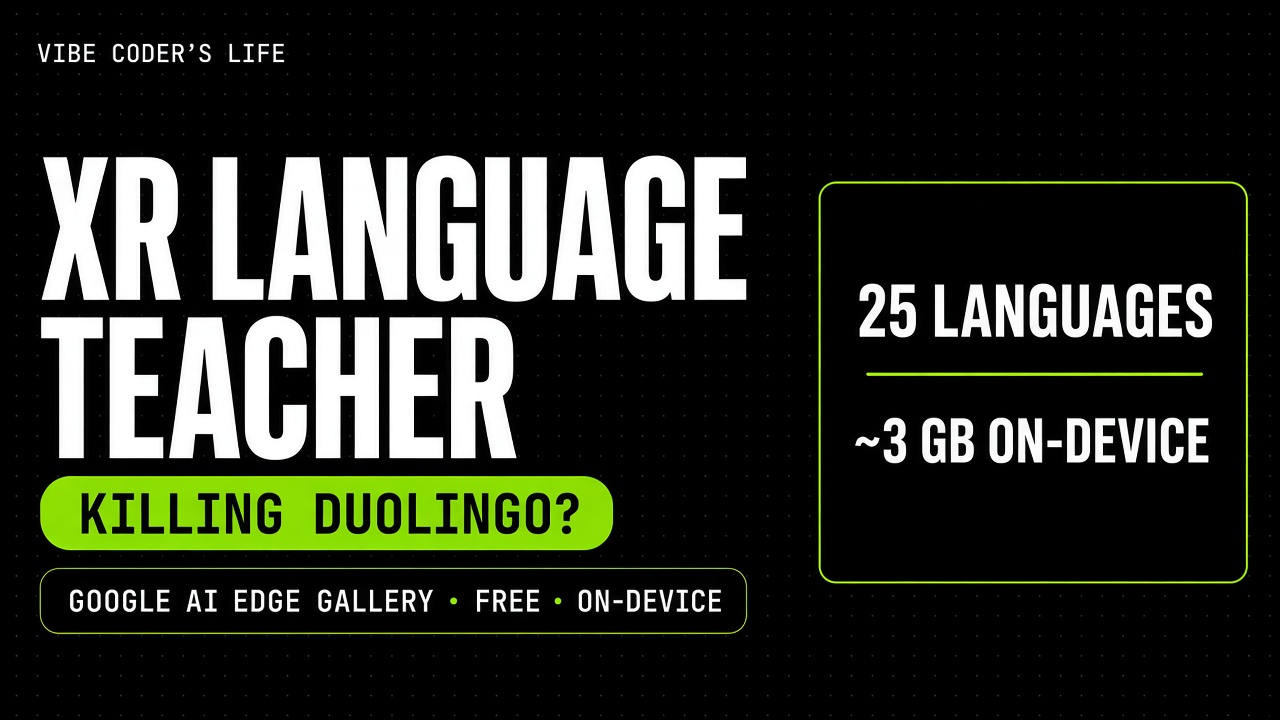
On 27 Oct 2026, Google AI Edge Gallery 1.0.14 hit Google Play and the App Store with the line: “Learn new languages with XR Language Teacher.” The same update adds on-device speech-to-text and text-to-speech models, context compression for longer chats, and a live metrics HUD.
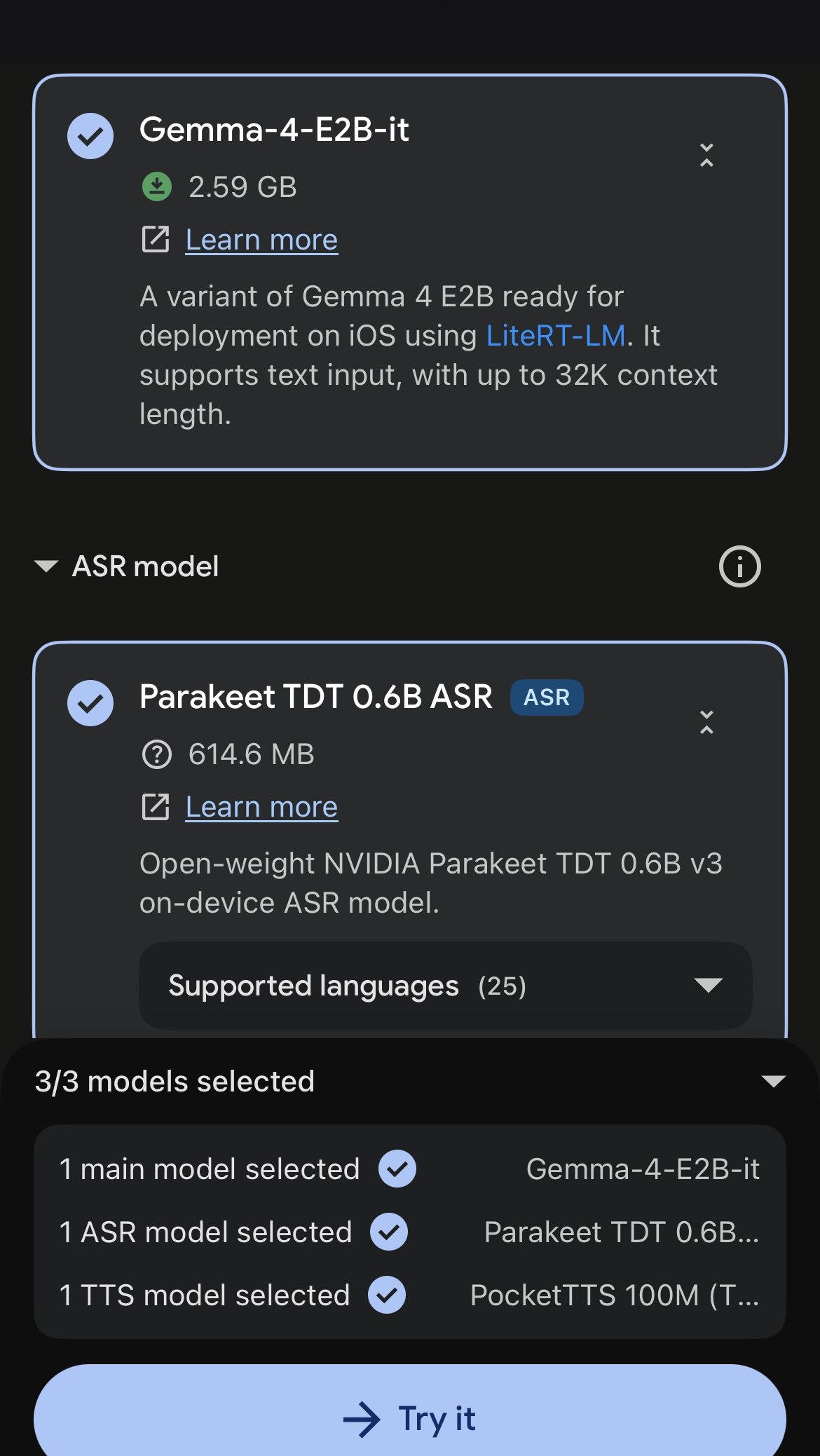
Google's public README still barely mentions the feature, but the in-app setup screen is clearer: XR Language Teacher is a three-model stack you download once, then run locally — a main LLM, an ASR model, and a TTS model.
What is Google AI Edge Gallery?
It's Google's free, open-source (Apache 2.0) showcase app for on-device AI: try, compare and benchmark open models on your own hardware. Google calls it an experimental beta. Code lives on GitHub. It launched on Android first and arrived on iOS on 26 Feb 2026.
Beyond the new language feature, the app already includes AI Chat with Thinking Mode, Ask Image, Audio Scribe, Prompt Lab, Agent Skills, Instant Media Search and Video Moment Finder (via EmbeddingGemma 2), Mobile Actions and Tiny Garden on FunctionGemma 270M, plus in-app model management and benchmarks.
XR Language Teacher vs Duolingo
The clickbait question writes itself. The useful answer is narrower:
| Dimension | XR Language Teacher (Edge Gallery) | Duolingo |
|---|---|---|
| Price | Free app + open models you download | Free tier + Super / Max subscriptions |
| Where inference runs | On-device after model download | Cloud-backed product (typical SaaS tutor) |
| Privacy of prompts / audio | Stays on phone once offline | Processed in Duolingo's service |
| Languages (ASR UI) | Parakeet lists 25 supported languages | Broad course catalogue |
| Download / storage | ~2.59 GB LLM + ~615 MB ASR + TTS (PocketTTS 100M) | App-sized; lessons stream |
| Curriculum / streaks / XP | Not documented by Google yet | Core product strength |
| Maturity | Experimental beta feature | Mature consumer language app |
| Hardware | Performance depends on your CPU/GPU | Works on most modern phones |
Verdict: this is not killing Duolingo. It is a free offline sandbox that happens to teach languages as one tile in a broader on-device AI gallery. Keep Duolingo if you want structure. Open Edge Gallery if you want local models, private practice and developer-grade experimentation.
Offline mode and privacy (EU / Hungary)
Yes — once the model is downloaded, inference is local. Google says no internet is required for model inference, so prompts, images and audio stay on the device. You still need a connection to install the app and pull models down.
That local loop is the GEO story that matters here. In the EU and Hungary, a lot of people are happier practising speech without shipping every utterance to a cloud tutor. Edge Gallery is built for that threat model: experimental, open-source, on-device. Google does not publish a neat country map for store availability — if the listing is missing, Android users can grab the APK from GitHub releases.
How to install and try it
- Check your OS: Android 12 or later, or iOS 17 or later. The App Store listing also shows Mac (M1+) and Apple Vision.
- Install from Google Play or the App Store. No Play Store? Use the GitHub APK.
- Update to 1.0.14+ so the What's New items (including XR Language Teacher) are on your build.
- Open XR Language Teacher, select the three models (main LLM, ASR, TTS), download them, then tap Try it.
On the setup screen I captured, the defaults were Gemma-4-E2B-it (2.59 GB, LiteRT-LM on iOS, text input, up to 32K context), Parakeet TDT 0.6B ASR (614.6 MB, open-weight NVIDIA on-device ASR, 25 languages), and PocketTTS 100M — shown as 3/3 models selected.
What's new in version 1.0.14
- On-device speech-to-text and text-to-speech models
- XR Language Teacher (“Learn new languages…”) — store note; limited public docs
- Automatic and manual context compression for longer chats
- A live metrics display for inference telemetry
What this means for vibe coders
Treat Edge Gallery as a feel-the-model-on-hardware lab, not a language-learning SaaS competitor. Benchmark Gemma on your phone, poke Prompt Lab, read how Google wires Agent Skills, and notice that speech + language tiles now sit next to chat and vision. For cloud keys and the rest of the free stack, start with my free AI API keys guide, free Google AI tools for vibe coding, and my 2026 stack.
FAQ
Is Google's XR Language Teacher killing Duolingo?
Not yet. XR Language Teacher is a free, on-device feature inside Google AI Edge Gallery. It is interesting for offline and private practice, but Google has not published a structured curriculum, streaks, or a full product docs page for it. Duolingo still wins on habit loops and course design; Edge Gallery wins on local inference and privacy.
What is XR Language Teacher in Google AI Edge Gallery?
XR Language Teacher is a new feature in Google AI Edge Gallery 1.0.14. The in-app setup downloads three on-device models: a main LLM (for example Gemma-4-E2B-it via LiteRT-LM), an ASR model (NVIDIA Parakeet TDT 0.6B, listing 25 supported languages), and a TTS model (PocketTTS 100M). Google’s public README still has little written detail beyond the store What’s New note.
Which models does XR Language Teacher use?
The in-app setup (October 2026) selected three on-device models by default: Gemma-4-E2B-it at about 2.59 GB for the main LLM via LiteRT-LM, NVIDIA Parakeet TDT 0.6B ASR at about 614.6 MB with 25 supported languages listed, and PocketTTS 100M for speech. You download them once, then tap Try it.
Is Google AI Edge Gallery free?
Yes. Google AI Edge Gallery is a free download on Google Play and the App Store, and it is open source under the Apache 2.0 licence. Google labels it an experimental beta. The models you run inside it are open models, such as Gemma, that you download to your phone.
Does Google AI Edge Gallery work offline?
Yes, once you have downloaded a model. Google says all model inference happens on your device and no internet is needed, so your prompts, images and audio stay on the phone. You need a connection to install the app and download models.
Is on-device language practice better for privacy in the EU and Hungary?
For privacy-sensitive practice, on-device inference is a strong fit. Once the model is on your phone, Google says prompts and audio stay local with no cloud round-trip for inference. That matters in the EU and Hungary if you do not want spoken practice sent to a tutor SaaS. Availability of the app itself in a given store region is not mapped by Google in one public list.
What are the Google AI Edge Gallery requirements?
Android 12 or later, or iOS 17 or later. The App Store listing also shows Mac (M1 or later) and Apple Vision compatibility. Google does not publish a RAM minimum; it says performance depends on your device's hardware, so bigger models run better on newer phones.
Is Google AI Edge Gallery available in the EU and Hungary?
Google does not publish a country-by-country availability map for the app. If it does not show up in your store, Google offers the Android APK on the GitHub releases page for users without Google Play access.
Google AI Edge Gallery vs Duolingo — which should I use?
Use Duolingo if you want a polished curriculum, streaks and gamified daily practice. Try Google AI Edge Gallery's XR Language Teacher if you want free, offline, on-device practice and are fine with an experimental beta. Many people can keep Duolingo for structure and use Edge Gallery when they want private spoken practice without a cloud tutor.
Sources: Google AI Edge Gallery on GitHub. Checked 28 Oct 2026.
Disclosure: no paid placement. None of the links in this post are referral links. Duolingo is mentioned for editorial comparison only.
Questions? Get in touch — or subscribe for the next AI news post.