Black Friday fake discounts: I built two Apify Actors to check if a sale is real
The EU says a "was" price has to be the lowest price of the last 30 days. I couldn't find an Apify Actor that checked it, so I built one. I also built a Shopify tracker that catches inflated compare-at prices before Black Friday on 27 Nov.
~7 min read
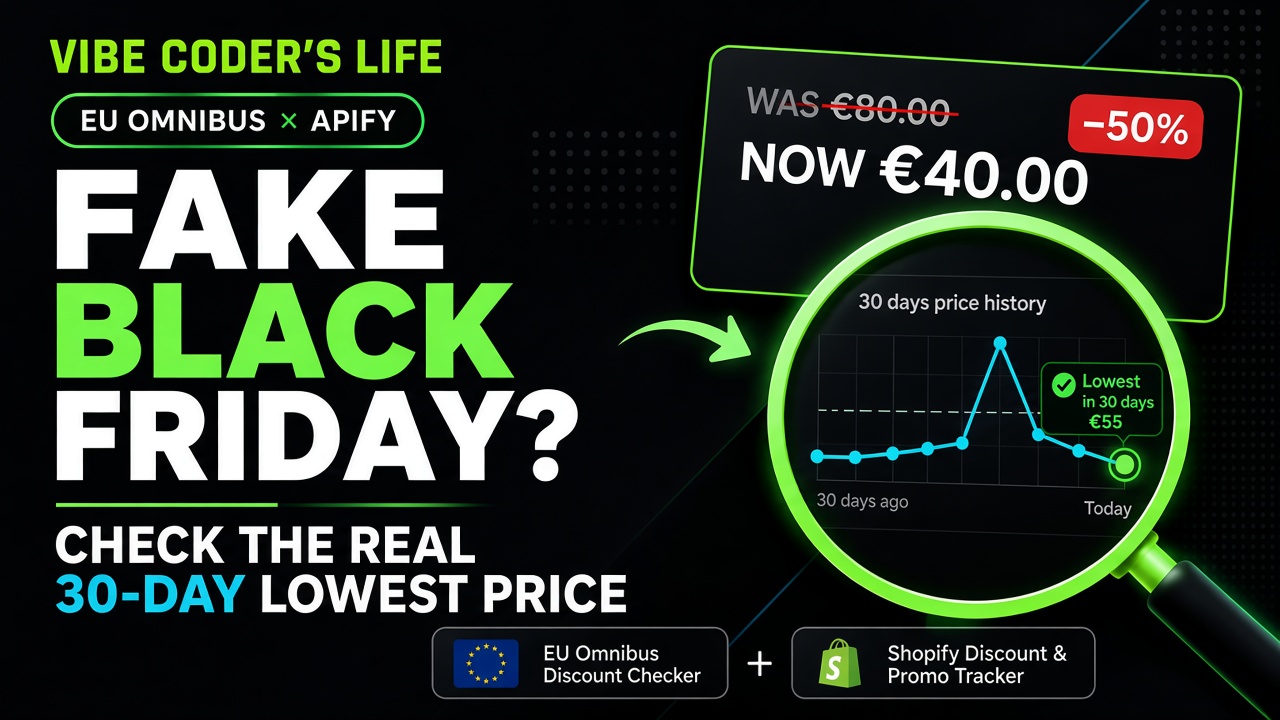
Short answer: In the EU, when a shop advertises a price cut it has to show a prior price — and that prior price is the lowest price it charged in the last 30 days, not a short-lived spike from early November. To check whether a Black Friday discount is real, compare the sale price with that 30-day lowest price, not with the crossed-out "was" price. I built two Apify Actors that do this at scale: the EU Omnibus Discount Checker and the Shopify Discount & Promo Tracker.
Black Friday lands on Friday 27 November 2026. Between now and then, a lot of prices will quietly go up so that they can come down with a big red badge. This post is about catching that, with code instead of gut feeling.
The rule: what counts as the "was" price in the EU
Here's how this works in the EU, in plain words (not legal advice):
- If a shop announces a reduction ("-40%", "was €80 now €39"), it should show the prior price.
- That prior price is meant to be the lowest price of at least the last 30 days, not a higher price that only sat on the site for a few days.
- Details can differ by country (new products, perishable goods, progressive discounts), and enforcement is national.
How I found the gap in the Apify Store
When I visit shops around Black Friday or Christmas, I always check the small price tag under the big sale price — the one that shows what it "was." Too often that "original" looks like what the promoted price should have been, and it gets hard to navigate between real discounts and fake ones. If that happened to you last year too, this post — and the Actors below — is for you.
That habit pushed me into Actor research, the same loop I describe in How I create Apify Actors people actually pay to use: write the buyer sentence, then check competitors before writing a line of code.
I searched the Apify Store for "omnibus" and "black friday". There were plenty of price scrapers and a few holiday deal trackers. I could not find one that answered the question I cared about: is this discount honest under the 30-day rule? That's a narrow, seasonal and very checkable job, which is exactly the kind of gap a small Actor can own. (Apify is already the scraping layer in my 2026 vibe coding stack, so building there was the obvious move.)
So I stopped scrolling the Store and started building. If nobody else was checking the 30-day rule, the first honest checker would have the niche to itself.
Actor 1: EU Omnibus Discount Checker
How to run
- Paste EU product page URLs into the Actor input.
- Run once (HTML first; browser only if needed).
- Read the per-product verdict — Compliant, Overstated, Missing 30-day lowest, and the rest.
You give it product pages from EU shops. For each one it reads:
- the current price
- the crossed-out "was" or reference price, and any "-XX%" badge
- the shop's own 30-day lowest price label, if there is one
Then it calculates the real discount against the 30-day lowest price and compares it with the advertised one. It recognises label wording in 11 languages (HU, DE, PL, CZ, SK, RO, FR, IT, ES, NL, EN) and parses local price formats.
Each product gets one verdict:
EU Omnibus Discount Checker · verdicts
| Verdict | What it means |
|---|---|
| Compliant | The advertised discount matches the 30-day lowest price (within your rounding tolerance) |
| Overstated | The badge claims more than the real discount from the 30-day lowest price |
| Missing 30-day lowest | A reduction is announced, but no 30-day lowest price is shown |
| RRP comparison | The "was" price is a recommended retail price, not the shop's own price |
| No discount claimed / price not found | Nothing to check, or the page had no readable price (not charged) |
It reads HTML first and only opens a real browser when a page needs it. Optional evidence screenshots save a full-page PNG per product.
Actor 2: Shopify Discount & Promo Tracker
How to run
- Add Shopify store domains to the input.
- Run once to save a baseline catalog snapshot.
- Schedule daily in
changesmode so raised compare-at prices show up before 27 Nov.
Shopify stores show a compare-at price as the struck-through "was" price. This Actor reads a store's public product feed (no browser) and returns:
- Sale depth: discount % and amount per product, deepest first
- A store summary: share of the catalog on sale, average, median and deepest discount, promo intensity, and Black Friday / Cyber detection
- Changes over time: with history on, each scheduled run reports sales that started, deepened, shrank or ended, days on sale, and the lowest price seen in 30 days
- Inflated compare-at prices: it flags a compare-at price that sits more than your tolerance (default 5%) above the highest regular price it actually observed for that product
That last one is the Black Friday trick in one field. If the regular price was 40 and the compare-at suddenly says 80, you'll see it.
What my test runs found
I ran both Actors on 8 Nov 2026. The first run hit rate limits and a proxy bug in my own code, which I fixed, then I re-ran everything. These are the re-run numbers. It's a small snapshot, not a market study, and I'm not naming any shop: the point is what the tools surface, not who.
30 / 30
Missing 30-day lowest
194 / 1,409
Products on sale
158 / 159
One store almost all on sale
EU Omnibus Discount Checker: 30 discounted product pages from 3 German fashion and basics Shopify stores
- 30 of 30 pages read, with a browser fallback for the few that needed it.
- 30 of 30 got the same verdict: "missing 30-day lowest". Every page showed a discount badge (from -5% to -40%), but none showed a 30-day lowest price label next to the price.
- 12 of the 30 also showed a crossed-out price, and in 6 of them the badge and the crossed-out price disagreed.
WAS €107.99
NOW €31.49
BADGE −20%Crossed-out price implies ~71% off — the −20% badge disagrees.
WAS €59.99
NOW €48.99
BADGE −30%Maths is ~18% lower — the −30% badge disagrees.
Two honest caveats. A badge can refer to a different variant or an extra code, and several items were bundles, where "-15%" can mean bundle savings rather than a cut from a previous price. A verdict here is a flag for a human to look at, not proof of a breach.
Shopify Discount & Promo Tracker: 6 of 8 stores read, 1,409 products scanned
Shopify Discount & Promo Tracker · 8 Nov 2026 retest
| Store (anonymised) | Scanned | On sale | Average | Median | Deepest |
|---|---|---|---|---|---|
| A German lingerie brand | 159 | 158 (99.4%) | 22.5% | 15% | 50% |
| A German sock and basics brand | 250 | 24 (9.6%) | 13.3% | 15% | 35% |
| A US shoe brand | 250 | 11 (4.4%) | 46.8% | 50.5% | 58.6% |
| A US cosmetics brand | 250 | 1 (0.4%) | 14.4% | 14.4% | 14.4% |
| A US bedding brand | 250 | 0 | n/a | n/a | n/a |
| A German sustainable fashion brand | 250 | 0 | n/a | n/a | n/a |
- Overall: 194 of 1,409 scanned products on sale (13.8%), with a weighted average discount of about 22.7% and a deepest discount of 58.6%.
- Black Friday or Cyber promo collections or tags were already live in 4 of the 6 stores, almost three weeks early.
- The standout is the lingerie brand: 158 of 159 products "on sale". When nearly everything is discounted, the crossed-out price stops meaning much.
- Two stores couldn't be read: one has no public Shopify catalog, and one blocks the catalog endpoint in robots.txt, so the tracker skipped it.
- For the larger stores the scan stopped at 250 products, so those percentages describe the part that was scanned.
- Inflated compare-at prices: not measurable yet. The tracker can only flag a raised "was" price once it has seen the regular price, and this was its first run, so it saved a baseline. I'll run it again around 25 Nov.
That's the real lesson for Black Friday: start watching now. History is what turns a crossed-out price into evidence.
How to check a Black Friday deal yourself
- Find the 30-day lowest price label on the product page. In the EU it should be there whenever a reduction is announced.
- Do the maths from that number, not from the crossed-out price.
- Look at the price history if a price-tracking tool or chart is available.
- Be careful with "up to -70%" banners. Check how many products actually carry the headline discount.
- At scale, paste product URLs into the Omnibus checker, or put a list of Shopify stores on a daily tracker schedule. New to Apify? Create an account (referral link, same as on our Tools page).
Verify EU deals before publishing
EU Omnibus Discount Checker
Watch competitor Shopify stores through November
Shopify Discount & Promo Tracker — daily, changes mode
Find the deepest real Shopify discounts for a newsletter
Shopify tracker with a minimum discount filter, then spot-check with the Omnibus checker
Want to build Actors like these?
Both Actors came out of the same system: find a narrow buyer job, check the Store for competitors, model pay-per-event margins, then ship a small, honest tool. That loop is in the Apify Actor Playbook toolkit (€37 once).
Want my Black Friday Actor notes and next week's build? Subscribe to Vibe Coder's Life →
Related on Vibe Coder's Life
- How I create Apify Actors people actually pay to use: the research loop behind these two Actors
- One month of Codex, ChatGPT Plus and OpenAI Ads: my other commerce Actors, for ChatGPT product ads
- My vibe coding stack in 2026: where Apify fits next to the rest of my tools
- SynthID Detector: how to check AI images: another "is this real?" check, this time for images
FAQ
How do I know if a Black Friday discount is real?
Compare the sale price with the shop's lowest price in the 30 days before the sale. In the EU, shops announcing a reduction should show that prior price. If the "-50%" is measured from a higher, short-lived price, the discount is overstated.
What is the EU 30-day price rule?
In the EU, an announced price reduction should be measured from the lowest price the shop charged in at least the 30 days before the cut — not from a temporary higher "was" price. Country details can differ; this is not legal advice.
Is it illegal to raise prices before Black Friday?
Raising a price isn't illegal by itself. The issue is the announced discount: in the EU, it has to be measured from the 30-day lowest price, so a price raised just before the sale shouldn't become the reference. National rules and penalties differ. This is not legal advice.
What is a compare-at price on Shopify?
It's the original price a Shopify merchant sets, shown struck through next to the current price. The Shopify Discount & Promo Tracker flags a compare-at price that is more than a set tolerance above the highest regular price it observed for that product.
Does the 30-day lowest price rule apply outside the EU?
The rule comes from EU law, so it applies to traders selling to consumers in EU Member States. Other countries have their own price-advertising rules.
Can I check discounts automatically?
Yes. The EU Omnibus Discount Checker on Apify takes EU product URLs and returns a verdict per product (compliant, overstated, missing 30-day lowest and others). For Shopify stores, the Shopify Discount & Promo Tracker tracks sale depth and price changes on a schedule.
When is Black Friday 2026?
Friday 27 November 2026, the day after US Thanksgiving (26 November). Cyber Monday is 30 November 2026.
Disclosure: Apify signup is a referral link. Actor Store links are my Actors, and the Playbook is my product. No paid placement by Apify for this article.
Questions? Get in touch — or subscribe for the next issue.